
Cart 2 india


In2Cart
Rs. 0

0


Product Information
Specification
Brand : Transcend
BulletPoint1 : Package dimensions: 5.03937 x 3.97638 x 0.15748 inches
BulletPoint2 : Package weight: 0.0441 pounds
BulletPoint3 : Package quantity: 1
BulletPoint4 : Product type: FLASH DRIVE
BulletPoint5 : Fully compatible with USB 2.0 interface
BulletPoint6 : 【How to transfer in Android Phones】Android phones need to support OTG, and flash drives can be found in the “File Manager” of most Android devices.
BulletPoint7 : 【Kindly Note】1) For Flash Media Devices, 1 megabyte = 1 million bytes; 1 gigabyte = 1 billion bytes. Actual useable capacity may vary. Some of the listed capacity is used for formatting and other functions, and thus is not available for data storage. 2) Up to 30MB/s read speed, write speed is lower. Based on internal testing; performance may be lower depending on the host devices and user’s settings and configurations.
BulletPoint8 : 【Reliable After-Sales Service】Experience the convenience of high-quality USB memory stick and enjoy our premium customer service at the same time. For the phone flash drive, if you have any questions, we are willing to provide help. (Note: The phone case may prevent the proper connection between a phone and a usb flash drive, which could result in the phone being unable to recognize the usb flash drive. In this situation, please do not conclude that the usb flash drive cannot be used, remove the phone case and try again)
Color : white
CompatiblePhoneModels : Compatibility Apple iPhone 16 Series/ iPhone 15 Series/ iPhone 14 Series/ iPhone 13 Series/ iPhone 12 Series/ iPhone 11 Series/ iPhone SE Series/ iPhone X Series/ iPhone 8 Series/ iPhone 7 Series/ iPhone 6S Series/ iPad Air Series/ iPad Pro Series. Also support Android smartphones/Computers and other devices with USB-C Ports.
ConnectivityTechnology : USB
DigitalStorageCapacity : 64 GB
ExternallyAssignedProductIdentifier1 : 760557821977
ExternallyAssignedProductIdentifier2 : 0760557821977
ExternallyAssignedProductIdentifier3 : 4054842267523
GpsrSafetyAttestation : 1
HardwareInterface : usb2.0
HardwareInterface1 : lightning
HardwareInterface2 : usb3.0
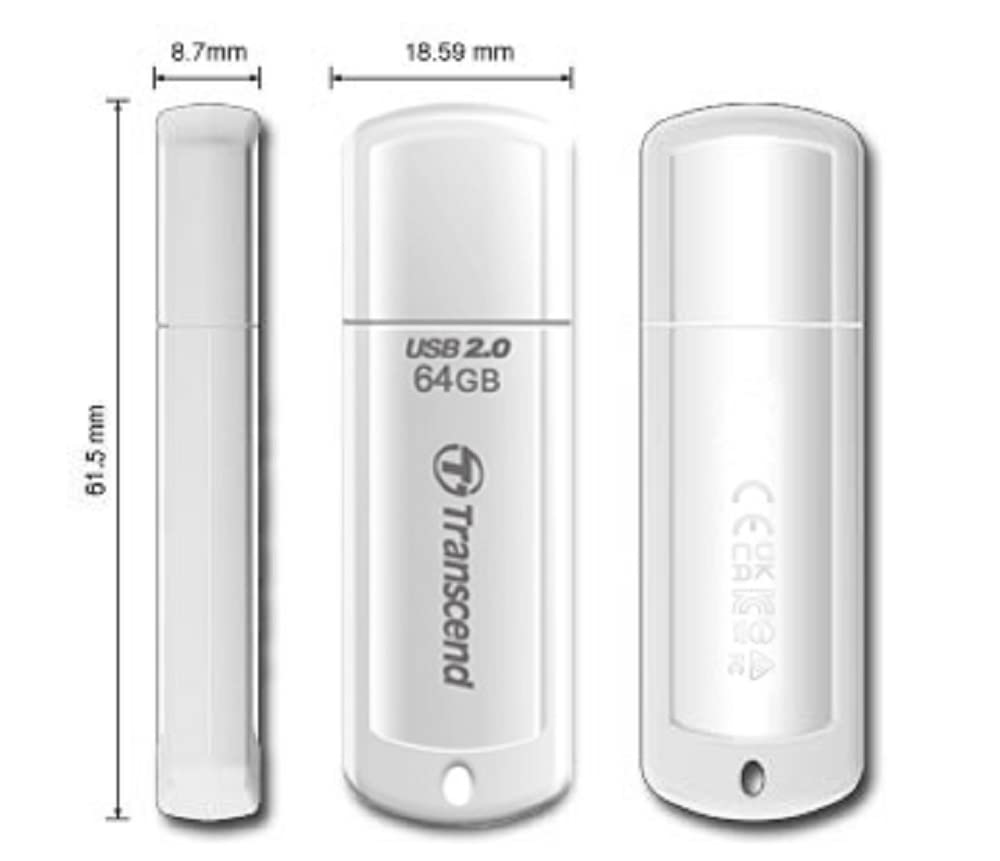
ItemName : Transcend 64 GB USB 2.0 Flash Drive
ItemPackageDimensions_Height : 12.8 centimeters
ItemPackageDimensions_Length : 0.4 centimeters
ItemPackageDimensions_Width : 10.1 centimeters
ItemPackageQuantity : 1
ItemTypeKeyword : usb-flash-drives
Manufacturer : Transcend
MemoryStorageCapacity : 64 GB
ModelName : IMUSB001
ModelNumber : TS64GJF370
NumberOfItems : 1
PartNumber : TS64GJF370
ProductDescription : Do you want to make your Phone more convenient?
Are you tired of your Phone running out of memory?
Do you want to keep enough Phone memory during your trip?
Plug and Play, No Application Required!
Never lose important documents, videos, photos again thanks to large and reliable Phone flash drives.
Free up iPhone and iPad Memory Space Immediately
If your iPhone or iPad has almost used up all the memory space, this iPhone USB storage flash drive can help alleviate 128GB of storage space. Whether you like to shoot short videos or take selfies, our iPhone memory stick are perfect for you.
Quickly Backup Without Using iTunes or Cloud
You can easily backup and manage files at any time. No need of iTunes or Cloud, manage files, pictures and videos through the mobile app to quickly backup to iPhone flash drive, save the storage space of the mobile phone, and at the same time, operations such as forwarding files on the USB drive can be performed.
Plug and Play
Share your photos, videos, songs and other files between iPhone picture stick easily. You don't have to pay extra for additional storage, just insert iPhone external storage and enjoy the extra space of your flash drive.
High Transfer Speed
Smart and upgraded chip with high efficiency and stability. read speed up to 30MB/s and write speed up to 15MB/s. The upgraded chip provides you with more efficient storage experience.
How to Transfer for iPhone iPad
Requires iOS 13 and higher: Simply insert the flash drive into your iPhone iPad, then go to the "Files" app to find "Untitled" and move files to your iPad or iPhone as needed.
How to Transfer for Android
Android phones need to support OTG, and flash drives can be found in the “File Manager” of most Android devices.
ProductSiteLaunchDate : 2012-02-17T19:14:06.494Z
ReadSpeed : 18 megabytes_per_second
Size : 128GB
StreetDate : 2019-03-08T00:00:01Z
SupplierDeclaredDgHzRegulation : not_applicable
UnspscCode : 43200000
WarrantyDescription : 1 year
WriteSpeed : 9
