
Cart 2 india


In2Cart
Rs. 0

0


Product Information
Specification
Brand : Hama
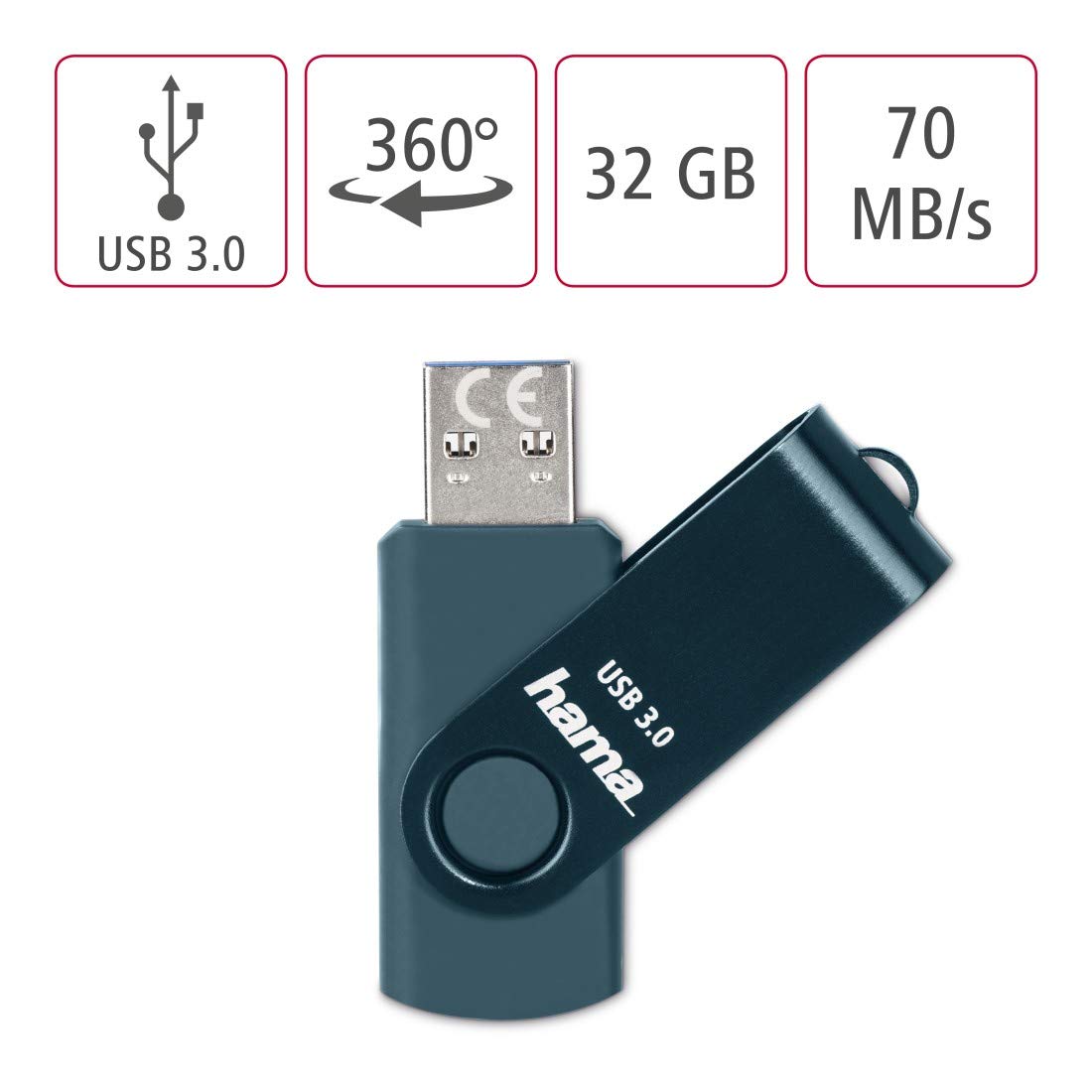
BulletPoint1 : Removable storage medium with USB 3.0 technology allows data to be written and erased as many times as needed
BulletPoint2 : With rotating mechanism
BulletPoint3 : Suitable for devices with a USB interface
BulletPoint4 : USB 3.0 Super Speed for even faster reading and writing rates
BulletPoint5 : With eyelet, e.g. for fastening to a key ring
Capacity : 256 GB
Color : blue
CompatibleDevices : Personal Computer
CompatibleDevices1 : Laptop
CompatibleDevices2 : Mobile
CompatiblePhoneModels : Google Pixel Xl
ConnectivityTechnology : USB
DigitalStorageCapacity : 8 GB
ExternallyAssignedProductIdentifier : 8549720070440
ExternallyAssignedProductIdentifier1 : 4047443435835
ExternallyAssignedProductIdentifier2 : 04047443435835
GpsrSafetyAttestation : 1
HardwareInterface : usb
HardwareInterface1 : usb
HardwareInterface2 : usb3.0
ItemName : Hama "Rotate" USB Flash Drive, USB 3.0, 32GB, 70Mb/s, petrol blue
ItemPackageDimensions_Height : 14.4 centimeters
ItemPackageDimensions_Length : 1.2 centimeters
ItemPackageDimensions_Width : 8.9 centimeters
ItemPackageQuantity : 1
ItemTypeKeyword : usb-flash-drives
Manufacturer : Hama
Material : Brushed aluminium, plastic
MemoryStorageCapacity : 32 GB
ModelName : Rotate
ModelNumber : 00182463
NumberOfItems : 1
PackageLevel : unit
PartNumber : 00182463
ProductDescription : Feature:
Interface: USB-C and USB-A
Compatible Devices:
Samsung Galaxy S10+, S10, S9+, S9, Note 9,8,Samsung Galaxy S8, Note 8, huawei P30, P30 Pro, P20,P9, honor 8, Google Pixel 2/ 2XL Nexus 5X, Nexus 6P, Nokia N1, LG G5 G6, HTC U11, One Plus MacBook, New MacBooks, MacBook Pro, ChromeBook Pixel, Le 2PRO, Le MAX, MICROSOFT 950XL, and other TYPE C supported devices.
1.How to connect to mobile phone?
There are two ways to transfer data to this USB flash drive due to the different phones.
Way 1:
1.Connect the USB flash drive to your phone, and glide your finger downward on the phone's home screen to display the notifications panel.
2.Tap the information as "General USB Drive", “USB storage” or “OTG” alert, you will see some existing folders .
3.Click the folder to open the files, choose the files to “copy to” or “move to” the folder you want to. Glide your finger downward on the phone's home screen to display the notifications panel to back to the “General USB Drive” to eject or uninstall the flash drive.
Way 2:
1.After you plug it into your phone, look at the top of your phone for the USB symbol, it says “USB storage” connected. Go to "My Files" to select the videos, pictures or audios you will see your files there.
2.Click on “Copy” or “Move” by breaking down menu on the top right corner, then go to the folder you want to move your files to. At the top/bottom you will see 'Paste Here', once you do that, your files will be copied or moved to that folder.
3.Glide your finger downward on the phone's home screen to display the notifications panel to back to the “General USB Drive” to eject or uninstall the flash drive.
ProductSiteLaunchDate : 2023-11-03T08:16:39.260Z
ReadSpeed : 70 megabytes_per_second
Size : 32 gb
StreetDate : 2020-10-06T00:00:01Z
Style : 70 or 90 MB/s data speed
SupplierDeclaredDgHzRegulation : not_applicable
UnspscCode : 43202010
WarrantyDescription : ThePhotoStick® Limited Warranty: This limited warranty covers defects in materials and workmanship in ThePhotoStick or ThePhotoStick Mobile in the first 30 days after shipment. Our entire liability and your exclusive remedy is limited to the price paid for ThePhotoStick, ThePhotoStick Mobile or ThePhotoStick Omni, if any. In no event shall Prairie IT LLC or our licensors be liable to you for any consequential, special, incidental or indirect damages of any kind.
WarrantyType : Limited
WriteSpeed : ~70 MB/s
