
Cart 2 india


In2Cart
Rs. 0

0



Product Information
Specification
BatteriesIncluded : 1
BatteriesRequired : 1
Brand : Ingenico ISC
BulletPoint1 : Color : Black
BulletPoint2 : Number in Package: 1 each
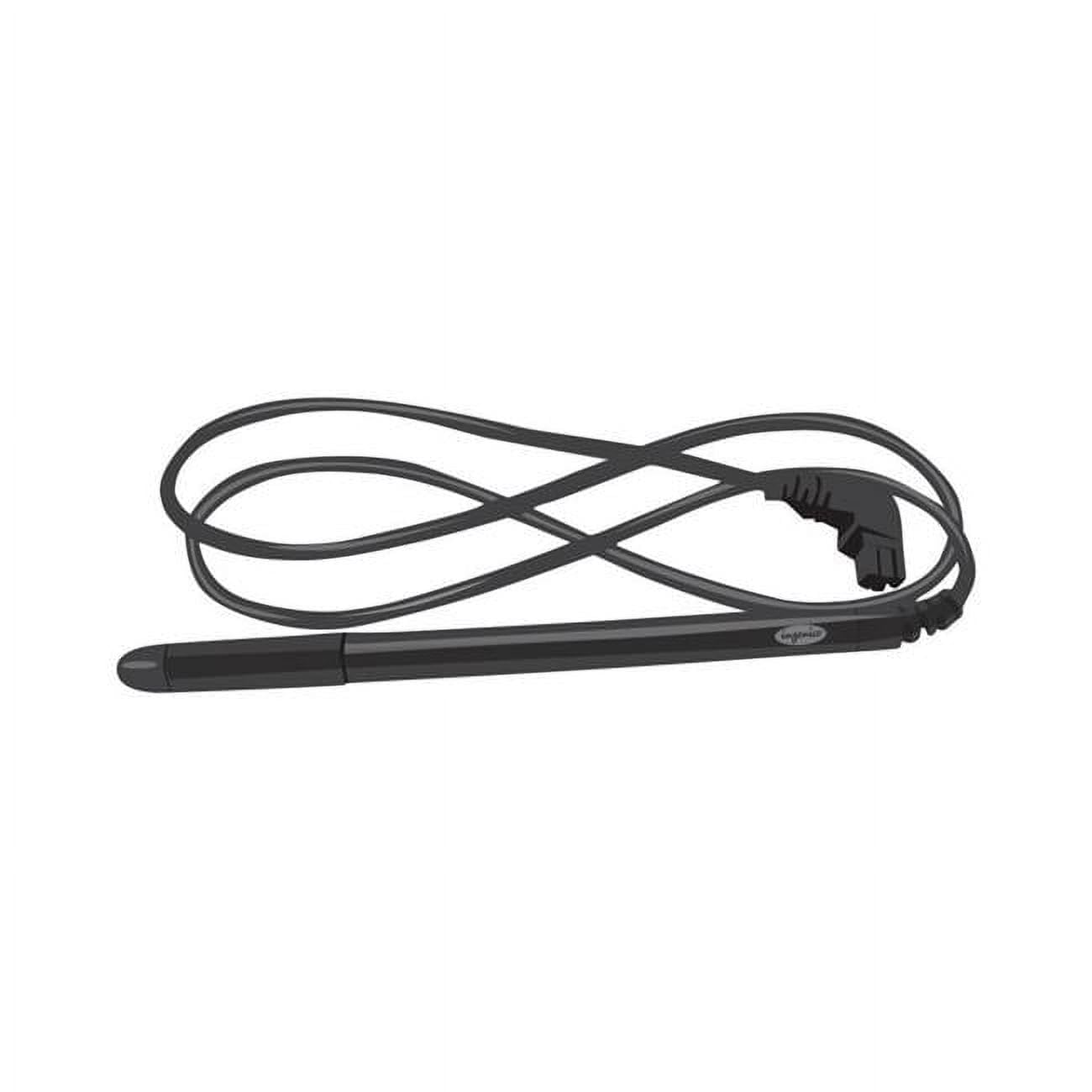
BulletPoint3 : Signature capture replacement pen for the Ingenico iSC Touch 250 signature capture machine
BulletPoint4 : Signature capture replacement pen is simple to install
BulletPoint5 : 【After-Sales Support】Contact us at any time if there is any question or concern on the product or service.We are always here to help and get problem resolved.We will make everything right for you as faithful partner
Color : No Color
CompatibleDevices : Personal Computer
CompatibleDevices1 : remarkable 2 tablet
CompatibleDevices2 : Tablet
Configuration : configuration
ControlMethod : touch
CustomerPackageType : 1
ExternallyAssignedProductIdentifier1 : 701844126757
ExternallyAssignedProductIdentifier2 : 0701844126757
ExternallyAssignedProductIdentifier3 : 00701844126757
GpsrSafetyAttestation : 1
HandOrientation : Ambidextrous
Hazmat1 : LITHIUM ION BATTERIES PACKED WITH EQUIPMENT
Hazmat10 : DE_SmallLithiumIonBatteryWithEquipment
Hazmat11 : EG_SmallLithiumIonBatteryWithEquipment
Hazmat12 : ES_SmallLithiumIonBatteryWithEquipment
Hazmat13 : FR_SmallLithiumIonBatteryWithEquipment
Hazmat14 : GB_SmallLithiumIonBatteryWithEquipment
Hazmat15 : IN_SmallLithiumIonBatteryWithEquipment
Hazmat16 : IT_SmallLithiumIonBatteryWithEquipment
Hazmat17 : JP_SmallLithiumIonBatteryWithEquipment
Hazmat18 : MX_SmallLithiumIonBatteryWithEquipment
Hazmat19 : NL_SmallLithiumIonBatteryWithEquipment
Hazmat2 : UN3481
Hazmat20 : PL_SmallLithiumIonBatteryWithEquipment
Hazmat21 : SA_SmallLithiumIonBatteryWithEquipment
Hazmat22 : SE_SmallLithiumIonBatteryWithEquipment
Hazmat23 : SG_SmallLithiumIonBatteryWithEquipment
Hazmat24 : TR_SmallLithiumIonBatteryWithEquipment
Hazmat25 : US_SmallLithiumIonBatteryWithEquipment
Hazmat26 : 9
Hazmat3 : II
Hazmat4 : AE_SmallLithiumIonBatteryWithEquipment
Hazmat5 : AU_SmallLithiumIonBatteryWithEquipment
Hazmat6 : BE_SmallLithiumIonBatteryWithEquipment
Hazmat7 : BR_SmallLithiumIonBatteryWithEquipment
Hazmat8 : CA_SmallLithiumIonBatteryWithEquipment
Hazmat9 : CN_SmallLithiumIonBatteryWithEquipment
ItemName : Ingenico ISC Stylus Pen 250/350
ItemPackageDimensions_Height : 17.8054 centimeters
ItemPackageDimensions_Length : 2.3876 centimeters
ItemPackageDimensions_Width : 12.8016 centimeters
ItemPackageQuantity : 1
ItemTypeKeyword : touch-screen-device-styluses
Manufacturer : Centurion Inc
Material : Plastic
ModelName : Ingenico ISC Stylus Pen 250/350
ModelNumber : 4007200
NumberOfItems : 1
NumberOfLithiumMetalCells : 1
PackageLevel : unit
PartNumber : 4007200
ProductDescription : Stylus for iPhone 13/14/15 Pro Max Pens, 1.5mm Fine Point Stylus Pen Compatible for iPhone/iPad Pro/Android/Samsung/Surface and More Touch Screens for iPhone 15/14/13 Pro Stylus,Black
1.5mm Fine Point Stylus Pens for iPhone Pro iPad Pencil lets you draw,write and navigate with pinpoint accuracy and offers comfortable pen-like control for iPad Pro Stylus Pen
New design anodized aluminum body Pencil Stylus for touch screen pens on Samsung Galaxy Note, Tab A provide durability and offers a stylish appearance
Touch control design helps the ipad drawing stylist pen for iPad 6th gen, iPad 7th gen 10.2 , iPad Pro 3/4 (11"/12.9") within reach for easy operation
Soft Tip Stylus Pen for Samsung Galaxy S7,S8,S9,S9 Plus,Note, Note2, Note3, Note4, Nexus 4, Nexus 5, Nexus 6 allows you to interact with your device's touch screen without leaving scratches or smudges
Instruction for Use:
This is active capacitive stylus, so you can use it just like use a pen with ultra fine tip, which will help you draw and write more accuracy.
When you use this pen on different apps or devices, you would need to change the input method to handwriting/drawing mode.
For example, when you use this pen on Apple Notes, click the small pen writing icon, and then you can start using it.
Frequently Asked Questions/Issues:
Q1: Why the indicator blinks in blue?
A1: The battery is out, you will need to take it for a charge.
Q2: Why I can slide the screen pages, but can not write or draw in apps?
A2: Check the software configuration if it supports handwriting editing, if yes, then enables it to stylus pen drawing/writing mode.
Q3: How does this stlylus works for iPad newest version?
A3: Settings->Apple Pencil->Turn off the Apple pencil
Settings-> Notes->Turn off "Only Draw with Apple Pencil"
If you have any question or concern, just let us know, we will help on troubleshooting
ProductSiteLaunchDate : 2017-02-28T02:13:16.454Z
Scent : scent
Size : One Size
StreetDate : 2019-03-01T00:00:01Z
Style : Refillable
SupplierDeclaredDgHzRegulation : not_applicable
SupplierDeclaredHasProductIdentifierExemption : 1
UnspscCode : 43210000
WarrantyDescription : Warranty
Wattage : 0.52
