
Cart 2 india


In2Cart
Rs. 0

0



Product Information
Specification
AudioInput : USB
Brand : Roland
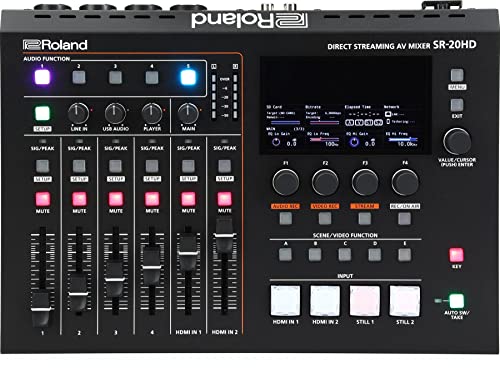
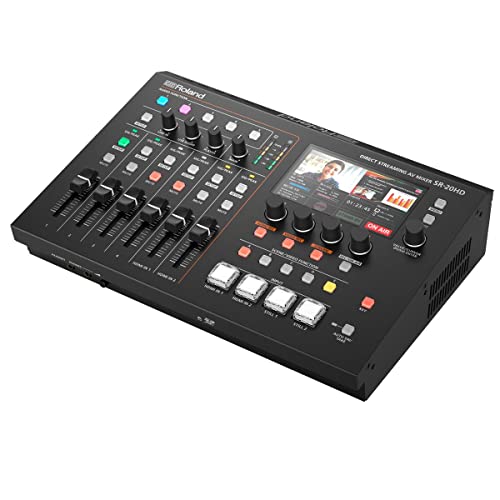
BulletPoint1 : All-in-one enterprise solution for direct livestreaming without a computer
BulletPoint10 : High-quality audio mixer with eight input channels for mics and line-level devices
BulletPoint2 : Scene function for executing multiple tasks with a single touch
BulletPoint3 : Ease your workflow with Video Auto Switching and Auto Mixing functions
BulletPoint4 : LCD monitor for checking video I/O and delivery status in real time
BulletPoint5 : Built-in encoders for transmitting two simultaneous livestreams up to 1080p/60 FPS
BulletPoint6 : Safety Delay function to keep accidental moments from being broadcast
BulletPoint7 : Record streams directly to an SDXC card for archiving, editing, and distribution
BulletPoint8 : Play sound effects, still images, and video sources from an SDXC card to enhance your livestreams
BulletPoint9 : Three video inputs: two HDMI and one USB video class
Color : X5PRO
ConnectivityTechnology : Wireless
ConnectivityTechnology1 : USB
ConnectivityTechnology2 : HDMI
ConnectorType1 : Micro USB
ConnectorType2 : HDMI
ControllerType1 : Remote Control
ControllerType2 : Voice Control
ExternallyAssignedProductIdentifier1 : 761294517925
ExternallyAssignedProductIdentifier2 : 0761294517925
IncludedComponents1 : HDMI cable *1
IncludedComponents2 : IR Remote *1
IncludedComponents3 : Vioce Remote *1
IncludedComponents4 : User Manual *1
IncludedComponents5 : Power adapter *1
ItemName : Roland SR-20HD All-in-One Switching and Streaming Solution AV Mixer
ItemPackageDimensions_Height : 39.878 centimeters
ItemPackageDimensions_Length : 22.86 centimeters
ItemPackageDimensions_Width : 33.02 centimeters
ItemPackageQuantity : 1
ItemTypeKeyword : streaming-media-players
Manufacturer : Roland
MemoryStorageCapacity : 4 GB
ModelNumber : SR-20HD
NumberOfChannels : 8
NumberOfItems : 1
OutputConnectorType : HDMI
PackageLevel : unit
PartNumber : SR-20HD
PowerSourceType : Corded Electric
ProductDescription :
Kind tips:
Please activate the Tanggula box before running TangTV first time.
Go to the "TAStore" (Homepage-->APP-->TAStore) App, click "Activation" then click "Tang TV" and "Tars TV" to download.
You can download Tang TV directly from the "TAStore" app without downloading through links. Including after factory reset, they can also download Tang TV directly in "TAStore".
Accessories :
1、HDMI cable *1
2、IR Remote *1
3、Vioce Remote *1
4、User Manual *1
5、Package box *1
6、Power adapter *1
7、Gift: 128GB USB Drive*1
ProductSiteLaunchDate : 2022-05-26T08:00:01.000Z
Resolution : 1080p, 8K
StreetDate : 2022-05-26T00:00:01Z
SupplierDeclaredDgHzRegulation : not_applicable
SupplierDeclaredHasProductIdentifierExemption : 1
SupportedInternetServices1 : Browser
SupportedInternetServices2 : YouTube
UnspscCode : 52161500
WarrantyDescription : See manufacturer's website for details.
