
Cart 2 india


In2Cart
Rs. 0

0




Product Information
Specification
AgeRangeDescription : Kid
Brand : Sculpey
BulletPoint1 : Easy to find on your work surface, allows clarity for positioning!
BulletPoint2 : Great for any Craft Project!
BulletPoint3 : Direct from Manufacturer
BulletPoint4 : Made in USA
BulletPoint5 : This package contains 2oz of polymer clay.
Color : Blue
EducationalObjective : Clay
ExternallyAssignedProductIdentifier1 : 715891164525
ExternallyAssignedProductIdentifier2 : 0715891164525
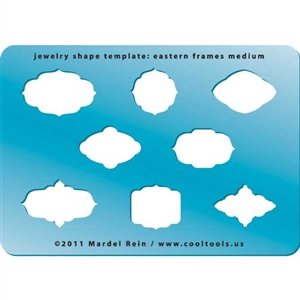
ItemName : Cool Tools - Jewelry Shape Template - Eastern Frames Medium
ItemPackageDimensions_Height : 5.08 centimeters
ItemPackageDimensions_Length : 2.54 centimeters
ItemPackageDimensions_Width : 5.08 centimeters
ItemPackageQuantity : 1
ItemTypeKeyword : artists-clays
Manufacturer : Cool Tools
Material : Clay
Material1 : Metal
Material2 : Acrylic
ModelName : Pastel Bunny Polymer Clay Sprinkles
ModelNumber : S302-1645
NumberOfItems : 1
PackageLevel : unit
PartNumber : TMP-220
ProductDescription : Jewelry Shape Templates by Cool Tools can be used to create fabulous shapes in silver, copper, bronze, polymer and ceramic clays or sheet metal. This great tool can be used for any craft project. To use with clay, rather than cutting out a complicated pattern, press the template into the clay slab and cut around the impression. To create the impression on clay, start with a plain or textured slab placed on a Cool Tools Tuff Card or other work surface. Position the template over the slab. Press the template, which has been misted with Cool Slip, into the clay. You can use your fingers to press around the design using firm pressure, or place an acrylic disc or work surface over the template shape and press firmly. Remove the template and cut away the excess clay with a needle tool. A needle tool can also be used to cut the shape directly, using the template edges as a guide. Use a very fine needle tool. Start at the outside corners and cut to the inside corners for the cleanest cuts. Remove the template and lift away the excess clay.
ProductSiteLaunchDate : 2015-06-04T22:37:17.000Z
RecommendedUsesForProduct : Modeling
SupplierDeclaredDgHzRegulation : not_applicable
SupplierDeclaredHasProductIdentifierExemption : 1
UnitCount : 1
UnspscCode : 54100000
WarrantyDescription : 2
