
Cart 2 india


In2Cart
Rs. 0

0


Product Information
Specification
AgeRangeDescription : adult
Brand : sujeniir
BulletPoint : Not 100% new ! But 100% original and tested working before shipment
BulletPoint1 : The usage of the 40A charger is as follows:
BulletPoint2 : Step 1: Connect the power supply first---adjust the voltage you want (use the supplied screwdriver to adjust the voltage in combination with the multimeter)-----then connect the battery------the charger The display will go out---unplug the power plug and plug it in again---------a normal display indicates normal charging.
BulletPoint3 : The second step (the voltage has been set for the first time, no need to set it later) ------- connect the battery first (very important, it can protect the charger) ------- then connect the power supply--- ------- Follow the second step for subsequent use, no need to adjust the voltage and current (unless you want to modify it)
BulletPoint4 : Maximum instantaneous charge and discharge current: 200A
BulletPoint5 : Maximum continuous charge and discharge current: 120A(100AH BMS WITH 100A) Service life: more than 5000 cycles
Color : Cl60a Anderson
ExternallyAssignedProductIdentifier : 4083928362951
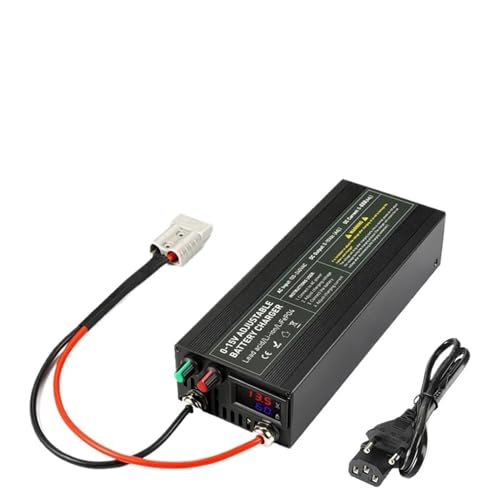
ItemName : 12V 60A Lifepo4 Charger 100A Lithium Battery Charger 100V 240V Quick Charging Fast Adapter for Lifepo4 Single Loop Adjust(CL60A Anderson,UK)
ItemPackageDimensions_Height : 1 centimeters
ItemPackageDimensions_Length : 3 centimeters
ItemPackageDimensions_Width : 2 centimeters
ItemPackageQuantity : 1
ItemTypeKeyword : powersports-battery-chargers
Manufacturer : sujeniir
ModelName : sujeniir23905
ModelNumber : sujeniir23905
NumberOfBoxes : 1
NumberOfItems : 1
PartNumber : sujeniir23905
ProductDescription : 12V 60A Lifepo4 Charger 100A Lithium Battery Charger 100V 240V Quick Charging Fast Adapter for Lifepo4 Single loop adjust
Please choose shipping location before purchasing. If you do not understand, please consult customer service!
Notes:
Do not adjust the charger voltage during the charging process. The voltage of the charger itself will fluctuate,
It is normal to charge a battery with a constant voltage. When the battery is fully charged,
The current on the charger display screen will be displayed as zero or close to zero.
As long as the charger is connected to the power supply, the fan will start until the power is disconnected.
Before adjusting the voltage correctly, please do not connect the charger to the battery. The voltage should be adjusted first before connecting the battery. Otherwise, the motherboard will be burnt out
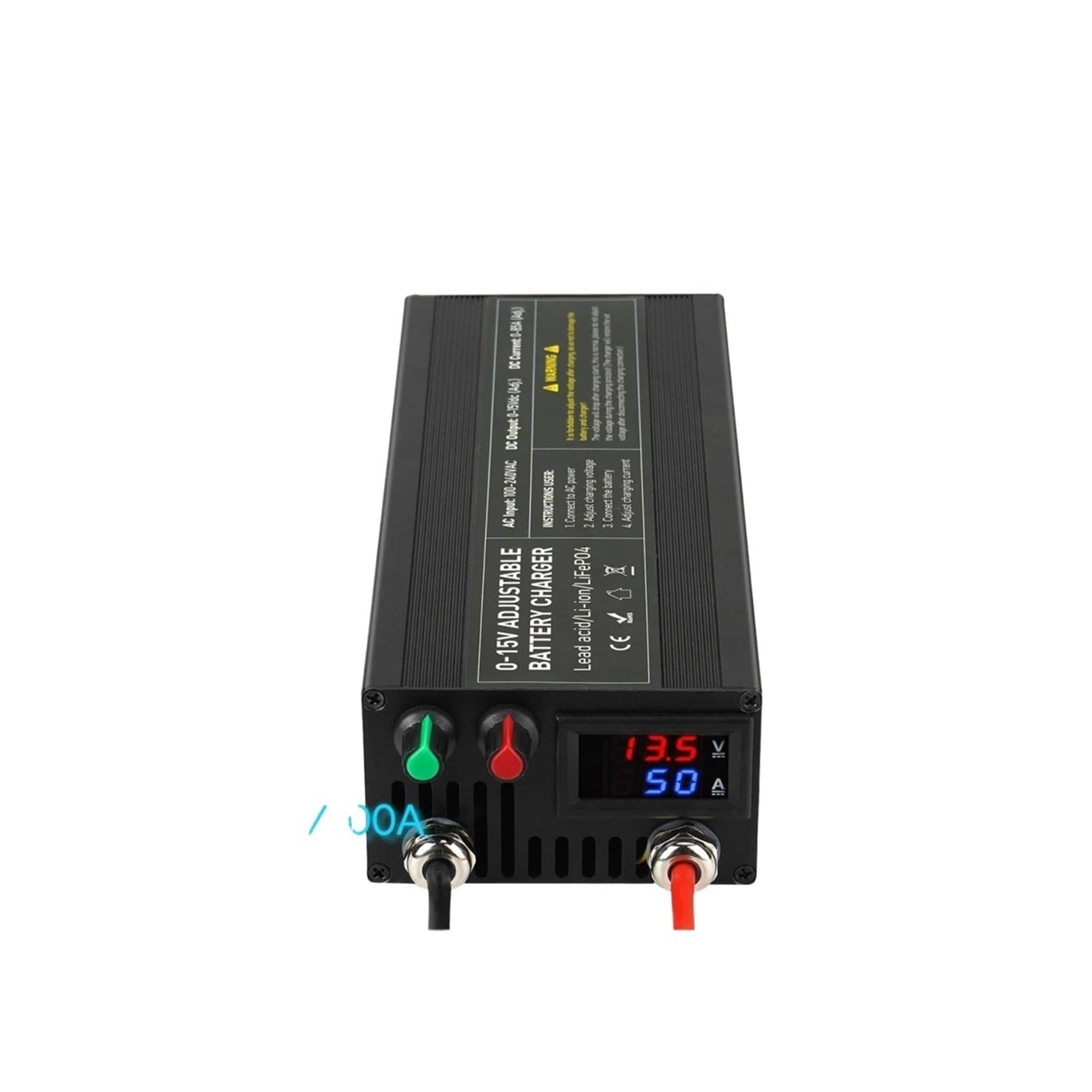
Special instructions for 60A/85A/100A charger: first plug the charger into the power supply - look at the voltage - turn the current on key higher - then adjust the voltage - then connect the load (+To+, - To -) - finally adjust the current. Do not connect the battery before adjusting the voltage, otherwise it will burn out the charger motherboard. Adjust the current again. Do not connect the battery before adjusting the voltage, otherwise it will burn out the charger motherboard. The screen displays the actual current value, which is not the current value you adjusted. Please consider the battery capacity and the maximum BMS current value for the current size. When the battery is fully charged, the current will be very small, with a full charge current of 0
Specific operation steps:
Step 1: Do not connect the battery to the charger. Turn on the power and adjust the voltage knob to adjust the voltage. Refer to the voltage display at the top of the display screen (4S lifepo4 battery 3.65 v * 4=14.6V, 3S lithium battery 4.2v * 3=12.6V), adjust to the voltage you need (you can adjust the voltage with a
ProductSiteLaunchDate : 2024-11-12T11:47:58.031Z
Size : UK
UnitCount : 1
UnspscCode : 26111704
WarrantyDescription : No Warranty
