
Cart 2 india


In2Cart
Rs. 0


Product Information
Specification
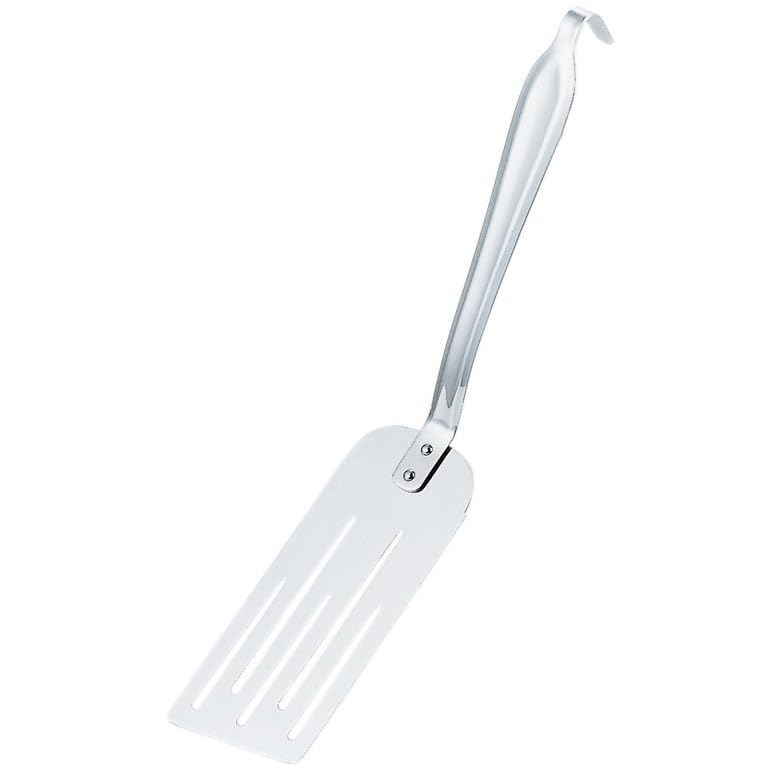
Brand : 赤川器物製作所
BulletPoint1 : Size: Board Dimensions x Handle Length: 6.7 x 2.8 x 7.9 inches (170 x 70 x 200 mm)
BulletPoint2 : Weight: 3.7 oz (105 g)
BulletPoint3 : Material: 18-0 Stainless Steel (SUS430)
BulletPoint4 : Country of Origin: Tsubame City, Japan
BulletPoint5 : 【REUSABLE】: Our silicone bread sling for dutch oven is made of durable silicone, flexible and strong. Baking mats do not break easily and can be used for a long time.
BulletPoint6 : 【MULTIFUNCTIONAL】: Bread sling can help you transfer dough to Dutch oven pans more safely and avoid burning your hands when putting bread in and out. In addition, they are also suitable for baking cookies, pizza, French fries, vegetables and meat, making them an ideal gift for baking or cooking enthusiasts.
CareInstructions : Hand Washable
Color : Sliver
ExternallyAssignedProductIdentifier : 4560127497108
ExternallyAssignedProductIdentifier1 : 039953505164
ExternallyAssignedProductIdentifier2 : 798527236537
ExternallyAssignedProductIdentifier3 : 0798527236537
ExternallyAssignedProductIdentifier4 : 0039953505164
FinishType : Metal,Steel
IncludedComponents : brush
ItemDisplayDimensions_Height : 0.39 inches
ItemDisplayDimensions_Length : 4.84 inches
ItemDisplayDimensions_Width : 0.59 inches
ItemDisplayWeight : 0.93 pounds
ItemName : AG 18-0 Cake Turner 54700
ItemPackageDimensions_Height : 8.4 centimeters
ItemPackageDimensions_Length : 38.9 centimeters
ItemPackageDimensions_Width : 12.1 centimeters
ItemPackageQuantity : 1
ItemTypeKeyword : grill-presses-and-irons
Manufacturer : 赤川器物製作所
Material : Stainless Steel
ModelName : Silicone Sourdough Bread Sling Mat
ModelNumber : 54700
MountingType : Hanging
NumberOfBoxes : 1
NumberOfItems : 1
PackageLevel : unit
PartNumber : 54700
ProductDescription : PrivacyPrivacy Facebook X old Twitter Linkedin Reddit Word to Clean HTML ConverterWord HTML Undo New page indentation compress encoding option ico option2 option3 option4 option5 option6 option7 option8 Clean -
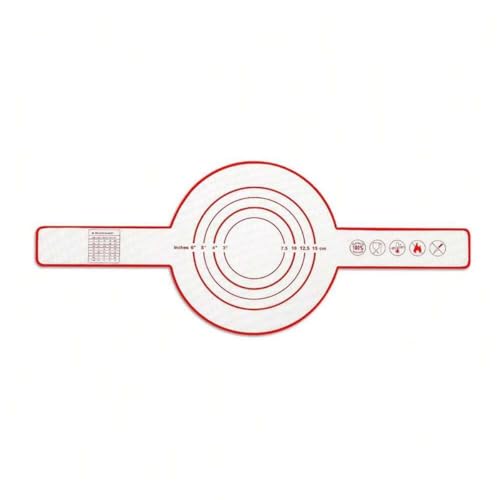
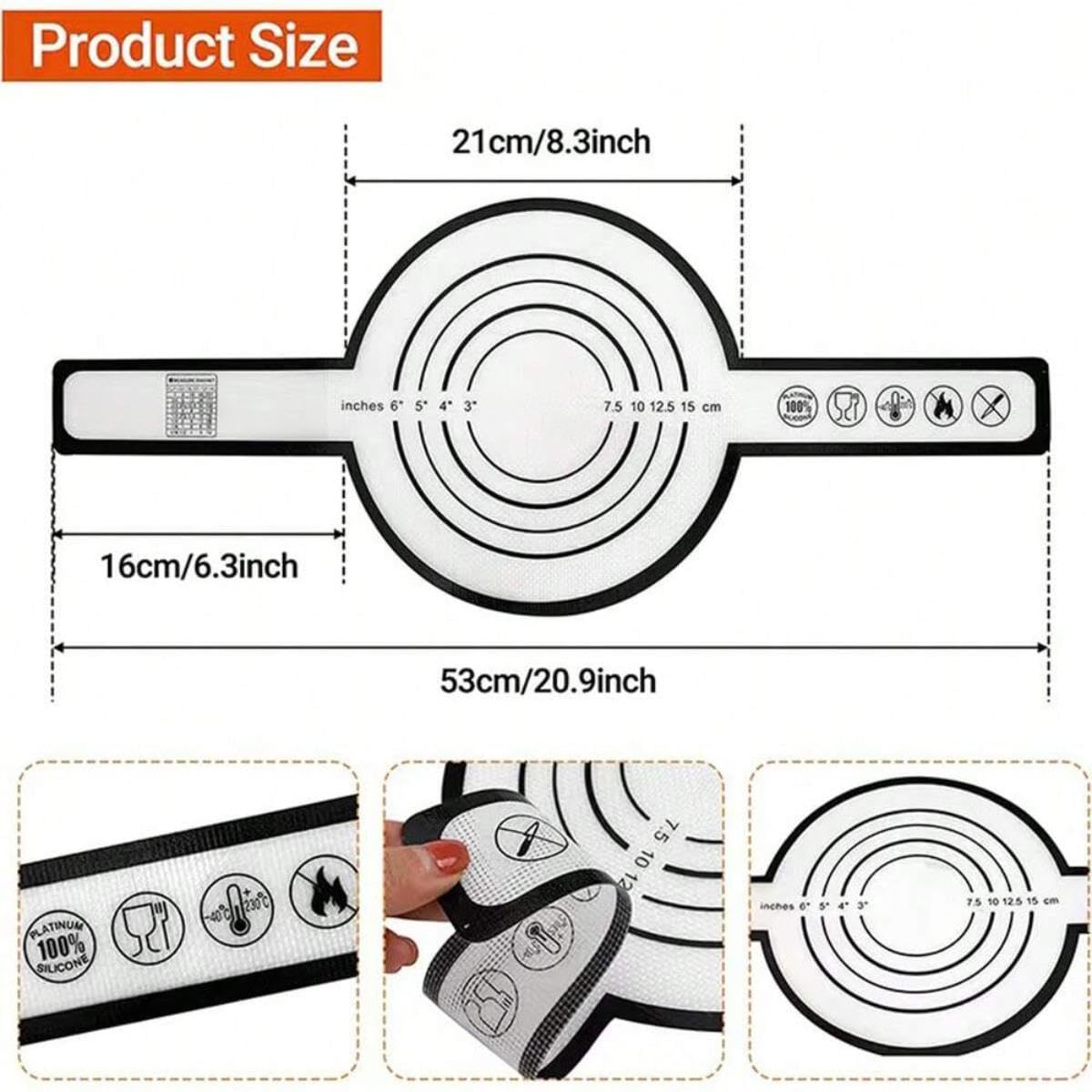
Silicone Sourdough Bread Sling Mat - Round Dough Baking Slings For Dutch Oven, NonStick High Degree Kitchen Sourbread Making Loaf Pan Lifter Liner, Reusable Cooking Transfer Mats with Long Handle
Description:
Color: Black, Red
Material: Silicone
Size: 20.9x8.3in
Silicone Baking Mats With Handles
1. Preparation: Ensure the dough is prepared and placed in a proofing basket. Prepare an appropriately sized Dutch oven (bread sling for 5 qt dutch oven) or baking tray to ensure stability for the dough and baking environment.
2. Prepare the Silicone Bread Sling: Place the Silicone Bread Sling on a flat surface. Lightly dust with flour or cornmeal to prevent the dough from sticking.
3. Transfer the Dough: Invert the proofed dough onto the Silicone Bread Sling. Adjust or score the dough as needed.
4. Baking: Place the Silicone Bread Sling with the dough into a preheated Dutch oven. Follow recipe instructions for baking time and temperature.
5. Removing the Bread: Carefully remove the Dutch oven from the oven using oven mitts or pot holders. Lift the bread off the Silicone Bread Sling and place it on a cooling rack to cool.
EXTRA-LONG HANDLE: The Silicone Bread Baking Mat features extra long, wider handles that provide a secure and comfortable grip when transferring sourdough bread from the oven to a Dutch oven pan. No more burnt hands!
NON STICK BREAD SLING MAT: Our silicone bread sling mat has a non-stick surface, suitable for baking all foods, the non-slip backing provides added stability during use.
DOUBLE THICKNESS: Our Dutch Oven Silicone Bread Sling is made of high quality double-layered platinum silicone material, and the 0.7MM thickness ensures practicality and heat resistance.
Notes:
1. Please allow 0-1 cm error due to manual measurement. pls make you do not mind before you bid.
2. Due to the difference between different monitors, the picture may not reflect the actual color of the item. Thanks.
attributes – get rid of tag attributes (except href of links and src of images):
 class and id ico – strip classes and IDs: space ico – wipe off elements that contain only a character:
comments icon – dislodge HTML comments: plain text icon – convert the document to plain text:
text
Additional editor controls source editor commands – Undo, new page, indent markup, compress, activate encoding. Our Sponsors Read essay writing service reviews. Create HTML input fields, radio buttons, check boxes and more with the new online generator. Choose from our collection of free online Date Tools, calendars, converters, calculators, date pickers and more. Visit CopyCopter, an AI video generator from text. Buy YouTube views from Viralyft to boost your YouTube channel performance. Common Questions How do I convert Word to HTML without dirty markup? MS Word allows to save the document as an .html file but this will result in a lot of unwanted dirty markup. This increases the file size and disrupts the website styles if you end up publishing it online. It's recommended to clean the HTML with this free online tool. dirty markup from MS Word Get rid of the mess generated by Word Editors How do I convert any visual text to HTML? WordHTML editor works flawlessly for any visual document and allows them to convert with a couple clicks: Microsoft Office products (Word, Excel, Powerpoint) Google Docs, Google Sheets OpenOffice and other WYSIWYG editors ...any other visual text document (let us know if you find an exception) Copy-paste your document in the online editor then switch to HTML view in the header to get the result instantly. How to open a .doc file in the editor? First you need to open the document in a reader, select and paste de desired section in the web browser on WordHTML. How to save and publish the results? To publish your file on the web you need to paste the HTML code in a .html file and upload it to the web. If your site is using a CMS then you need to log in with editor credentials and publish the article in your admin area. How to clean the markup? Switch to HTML view to see the code, review the cleaning settings and press the big Clean button. Remove automatically inline styles, classes, empty tags, comments and other unwanted bits. markup cleaning The markup can be cleaned with the click of a button Can I convert HTML code to Word document? Inverse conversion is also possible with WordHTML. Insert your code when the HTML tab is active and switch to Word Editor. Is WordHTML an online Word editor? Yes, and it's even more. It supports the most common WYSIWYG features but you can't save your document. To save you'll have to copy the results in a desktop editor and save there. This site uses cookies to collect visitor statistics and to save your settings. By using this website you accept our Terms&Conditions. WordHTML.comProductSiteLaunchDate : 2015-01-28T09:33:49.233Z
Size : little
Style : Contoured
SupplierDeclaredDgHzRegulation : not_applicable
SupplierDeclaredHasProductIdentifierExemption : 1
UnitCount : 1
UnspscCode : 50181709
